Metadata & Pillars All Contributors
Before your article can be published, it needs some metadata — information that helps readers find and understand your content. Think of it as the packaging around your writing.
The Metadata Sidebar
When editing an article, you'll find the metadata panel in the sidebar. This is where you set the key details about your piece.
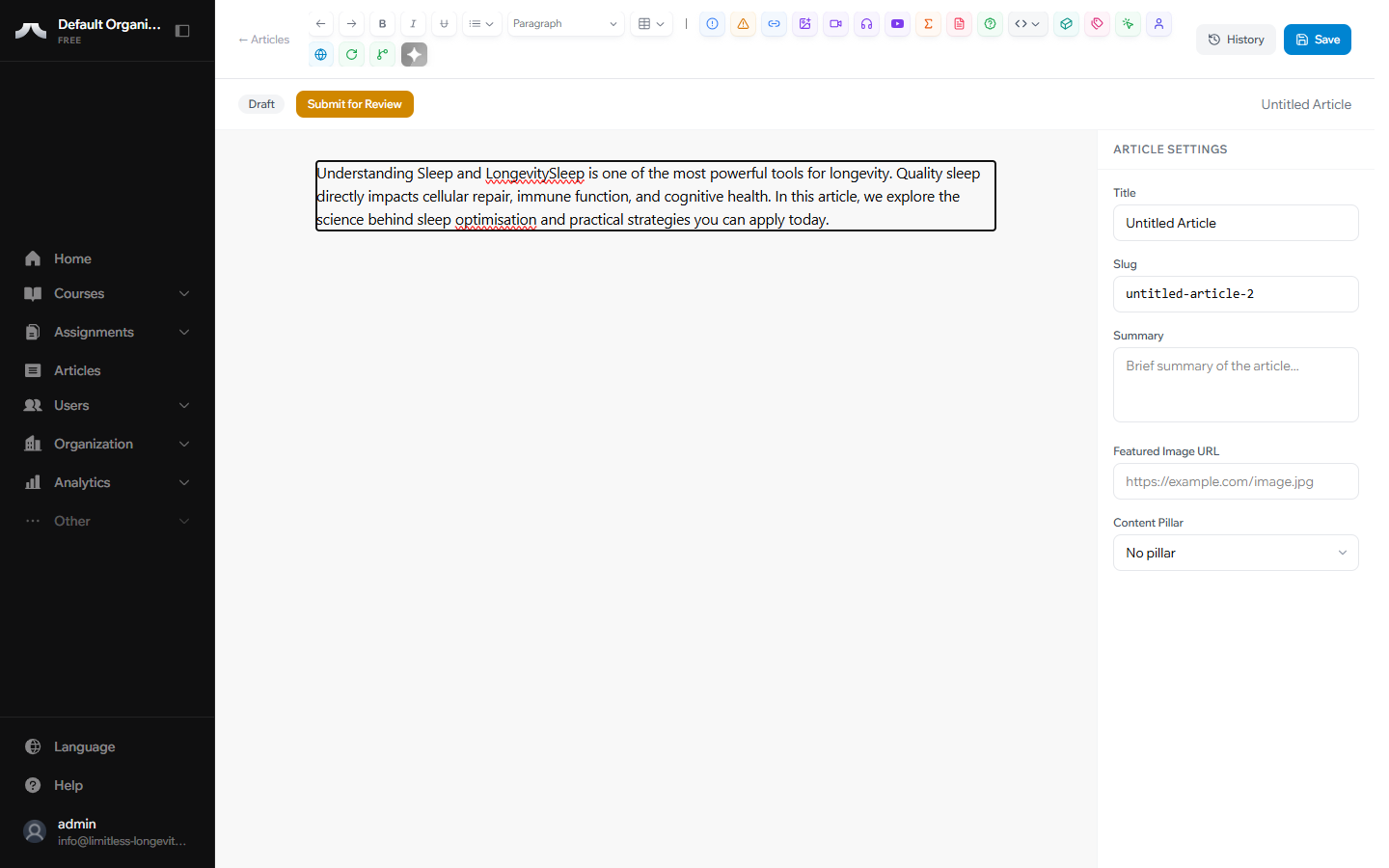
Here's what each field does:
Title — The headline readers see. Make it clear and descriptive. A good title tells the reader exactly what they'll learn.
Slug — The URL-friendly version of your title (e.g., improving-sleep-quality). This is auto-generated from your title — you rarely need to change it.
Summary — A one-to-two sentence description shown in article listings. Think of it as the subtitle or teaser that convinces someone to click through and read.
Featured Image — The thumbnail image shown when your article appears in browse views. Choose something relevant and visually engaging.
Access Level — Choose who can read your article:
- Free — visible to everyone, including non-subscribers
- Gated — visible only to paid subscribers
Content Pillars
Every article on PATHS belongs to one pillar — a content category that organizes the platform. There are six pillars:
- Nutrition — diet, supplementation, metabolic health
- Movement — exercise, mobility, physical performance
- Sleep — sleep quality, circadian rhythm, recovery
- Mental Health — stress management, cognitive health, emotional resilience
- Medicine — clinical interventions, diagnostics, preventive medicine
- Health Tech — wearables, biomarkers, health tracking tools
Pillars help readers browse content by topic. Choose the pillar that best fits your article's subject matter.
Pillar required for publishing
Every article must have a Pillar assigned before it can be published. You can set or change the pillar at any time while the article is in Draft.
What's Next?
Your article is written, formatted, and tagged with metadata. Now learn how it moves from draft to published in How the Editorial Workflow Works.