Creating an Article All Contributors
Ready to share your expertise? Creating an article on PATHS takes less than a minute.
Step by Step
1. Open the Articles section
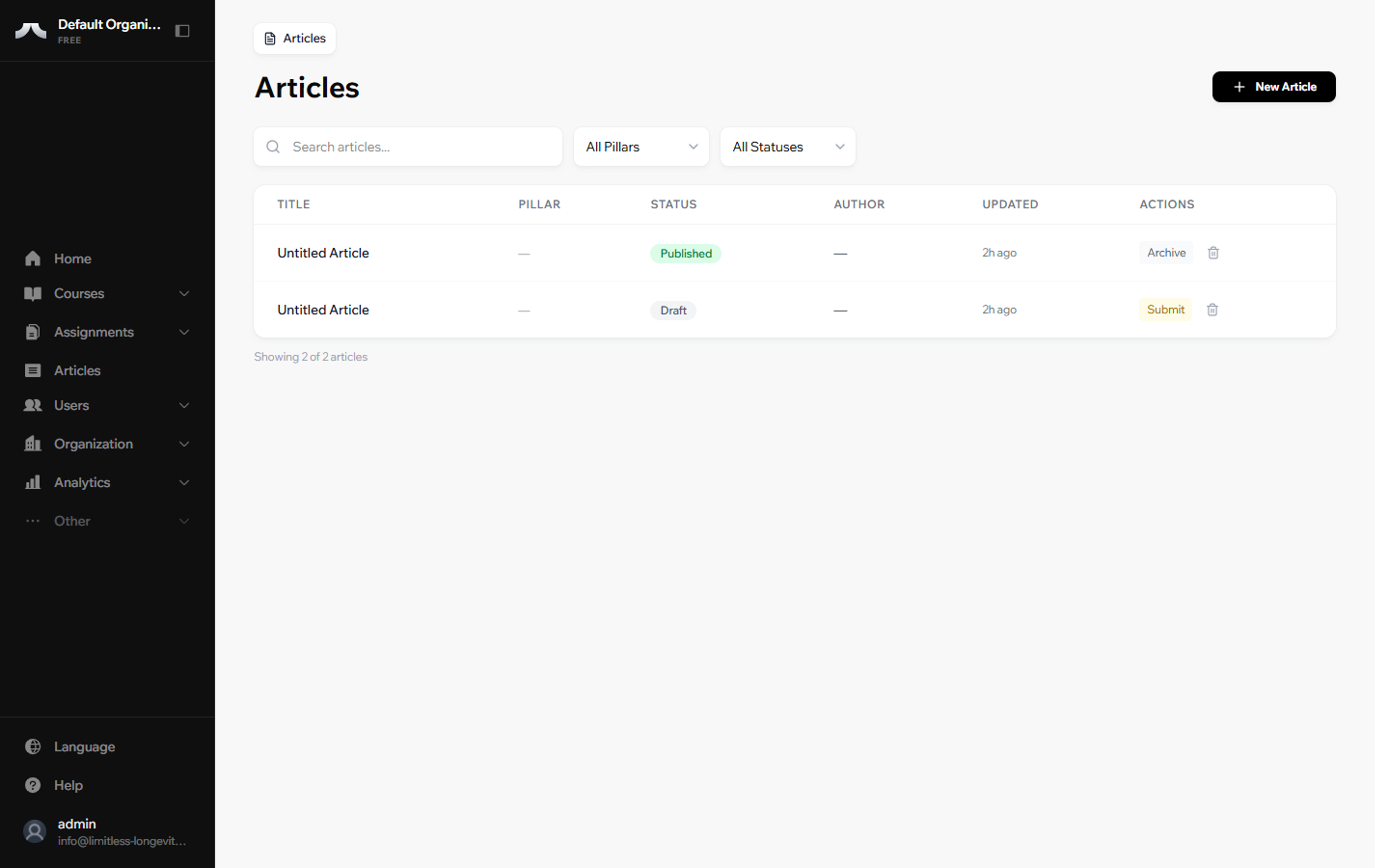
From your Dashboard, click Articles in the left sidebar. You'll see a list of all articles you have access to.
2. Click New Article
Click the New Article button in the top right corner.
3. Give your article a title
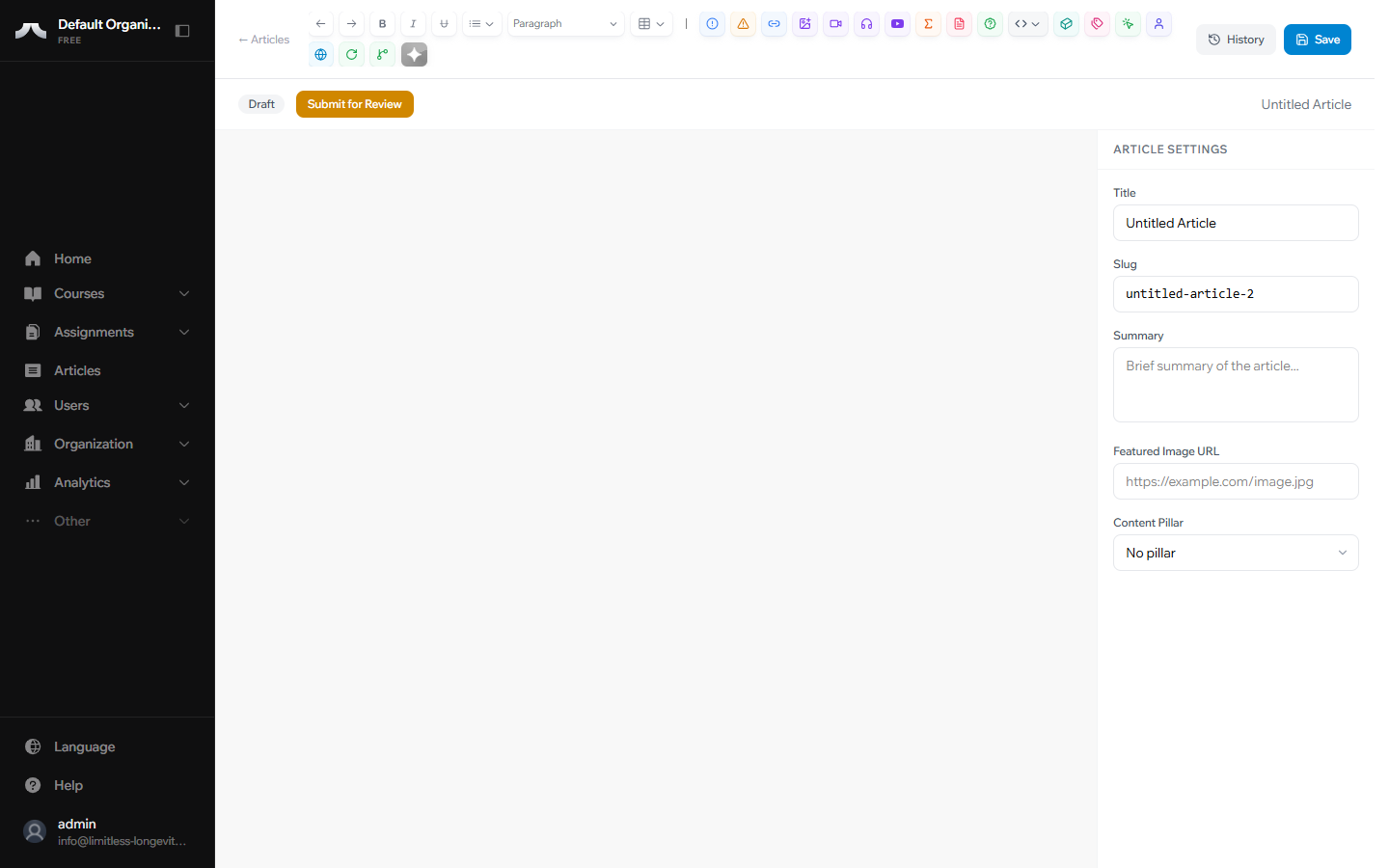
The editor opens with a blank page. Type your article title at the top — this is what readers will see as your headline.
4. Write your content
Use the main editor area to write. You can format text, add images, and embed videos — we cover all of that in the next guide.
5. Save your work
Click Save when you're ready to preserve your progress.
Save early, save often
Your work auto-saves periodically, but clicking Save manually creates a version snapshot. If you ever need to go back to an earlier version, only manual saves appear in your Version History.
Try it now
Create a test article. Give it any title, write a sentence or two, and hit Save. You can always delete it later — this is the fastest way to get comfortable with the platform.
What's Next?
Learn how to format your content, add images, and embed videos in Using the Editor.